> ## Documentation Index
> Fetch the complete documentation index at: https://blog.careerflo.co/llms.txt
> Use this file to discover all available pages before exploring further.
# Complete Job Search Guide
> This step-by-step guide unlocks the secrets to a successful job search, equipping you with the tools to land your next interview.
## The Stack
We'll be using the following tools to help us land our next interview:
* [Advanced Job Search](https://www.careerflo.co/) - A powerful job search tool that helps us find the exact job that we're looking for.
* [Application Autofill](https://chromewebstore.google.com/detail/simplify-copilot-autofill/pbanhockgagggenencehbnadejlgchfc) - A great Chrome extension that'll help us fill out job applications with a single click.
* [Finding Outreach Contacts](https://www.linkedin.com/search/results/people/?currentCompany=%5B%2250076%22%5D\&geoUrn=%5B%22103644278%22%5D\&origin=GLOBAL_SEARCH_HEADER\&profileLanguage=%5B%22en%22%5D\&sid=2%2CH\&titleFreeText=talent) -
Using LinkedIn's advanced search, we can easily find people who work at the company that we're applying to. This is a great way to find someone who might help us get in touch with the hiring manager or the recruiter for that role.
* [Outreach Templating](https://www.careerflo.co/tailored-outreach) -
Effortlessly create personalized connection notes or InMails for any LinkedIn contact with our outreach templating tool.
Before we get started, make sure you have the following resources:
- LinkedIn Account
- Resume
- Cover Letter (optional as ChatGPT can help you create a tailored one 😄)
Actually find the job you're looking for.
Fill out job applications with a single click.
Find people at the company to potentially reach out to.
Easily create outreach messages for any LinkedIn contact.
## Advanced Job Search
The first step to landing an interview is finding the right job.
I've built a [powerful job search tool](https://www.careerflo.co/) that helps you find the exact job that you're looking for.
You can filter by job title, location, company, and more.
Initially limiting your search to the **last 1 to 5 days** can enhance your application's visibility to recruiters.
This is because most job boards prioritize applications based on submission date, with the latest submissions appearing at the top of the list.
Thus, hiring teams usually follow a **First In, First Out [(FIFO)](https://youtu.be/1WwhfB3Rs14?si=eWBWaKzkFGW2AT7B\&t=159)** approach for **reviewing applications**,
meaning the earlier you apply, the better your chances of being seen.
This is in contrast to i.e. BIFO (Best In, First Out) when presenting candidates or LIFO (Last In, First Out) for laying off employees 😄.
This tool works by **accepting user inputs** like job title or different experience levels a user may want to target or negate.
It then **uses these inputs to generate a search query** that can be used to search for jobs on different job boards like LinkedIn, Ashby, Greenhouse, and more.
### Scenario
You're a student looking for a summer internship in software engineering.
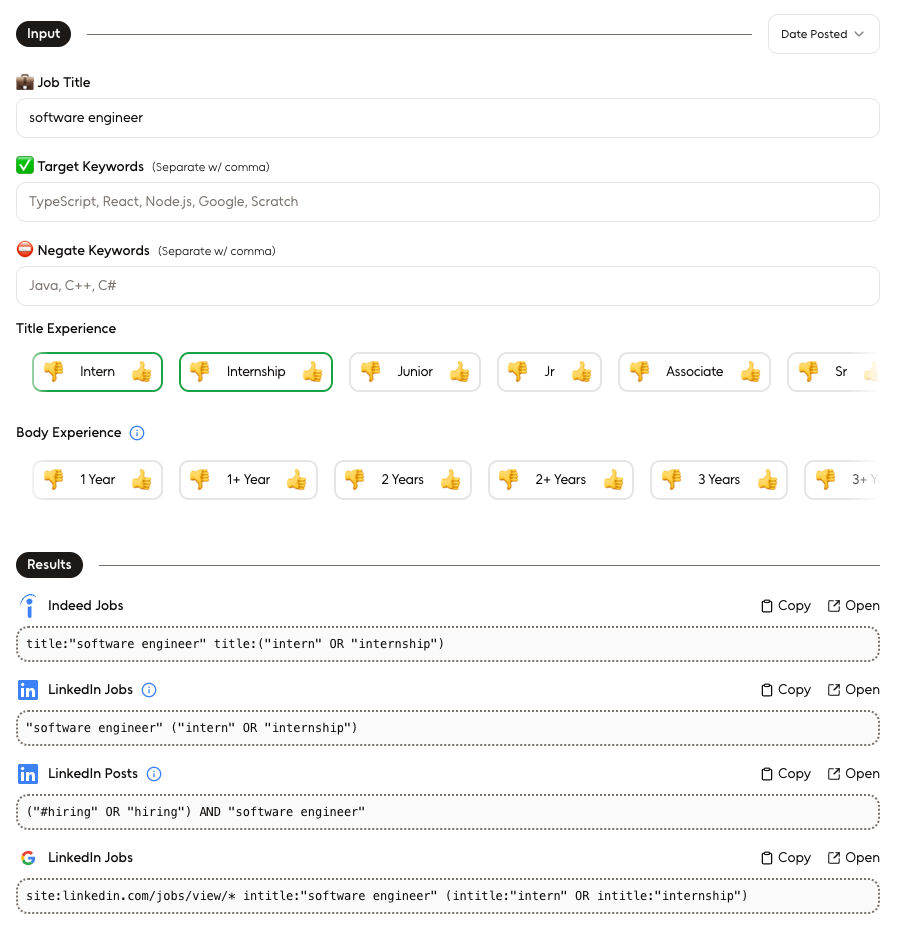 I.e. if we click `Open` on the Greenhouse result, we'll be taken to google.com with
the following search query:
*site:boards.greenhouse.io/\* (inurl:"/job/" OR inurl:"/jobs/" OR inurl:"/apply/") intitle:"software engineer" (intitle:"intern" OR intitle:"internship")*.
View the Greenhouse result by clicking [here](https://www.google.com/search?q=site%3Aboards.greenhouse.io%2F*%20\(inurl%3A%22%2Fjob%2F%22%20OR%20inurl%3A%22%2Fjobs%2F%22%20OR%20inurl%3A%22%2Fapply%2F%22\)%20intitle%3A%22software%20engineer%22%20\(intitle%3A%22intern%22%20OR%20intitle%3A%22internship%22\)).
## Autofill Job Application
Now from the search result above, let's say we found a job that we're interested in...
I.e. if we click `Open` on the Greenhouse result, we'll be taken to google.com with
the following search query:
*site:boards.greenhouse.io/\* (inurl:"/job/" OR inurl:"/jobs/" OR inurl:"/apply/") intitle:"software engineer" (intitle:"intern" OR intitle:"internship")*.
View the Greenhouse result by clicking [here](https://www.google.com/search?q=site%3Aboards.greenhouse.io%2F*%20\(inurl%3A%22%2Fjob%2F%22%20OR%20inurl%3A%22%2Fjobs%2F%22%20OR%20inurl%3A%22%2Fapply%2F%22\)%20intitle%3A%22software%20engineer%22%20\(intitle%3A%22intern%22%20OR%20intitle%3A%22internship%22\)).
## Autofill Job Application
Now from the search result above, let's say we found a job that we're interested in...
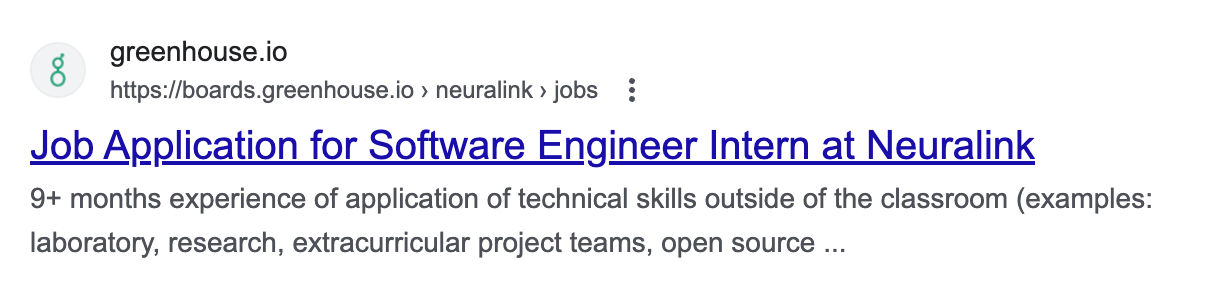 When we visit the job application page, we can use the [Simplify Autofill](https://chromewebstore.google.com/detail/simplify-copilot-autofill/pbanhockgagggenencehbnadejlgchfc)
Chrome extension to fill out the application with a single click.
When we visit the job application page, we can use the [Simplify Autofill](https://chromewebstore.google.com/detail/simplify-copilot-autofill/pbanhockgagggenencehbnadejlgchfc)
Chrome extension to fill out the application with a single click.
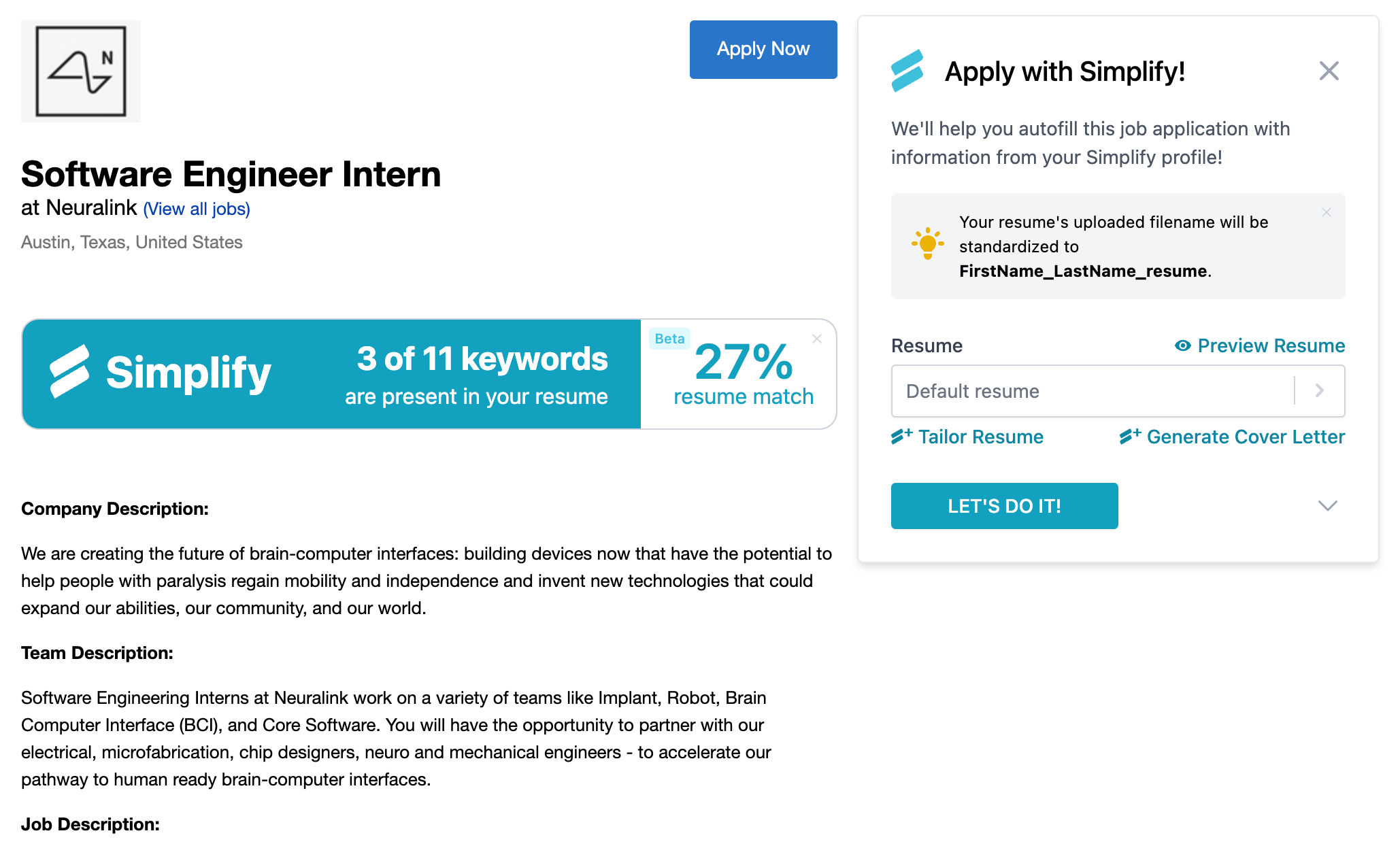 Here, if we click `LET'S DO IT!` on the extension popup, it'll **autofill** the application form with the details we've provided during onboarding.
 ## Finding Outreach Contacts
Skip this section if the **hiring team** exists in the job description.
After applying to the job above,
we can use [LinkedIn search](https://www.linkedin.com/search/results/people/) to find people who work at the company we're applying to.
### LinkedIn People Search
For example, if we're looking for contacts at Neuralink, we can set the following filters:
* Type: `People`
* Location: `United States`
* Current Company: `Neuralink`
* Profile Language: `English`
* Title Keywords: `recruiter` (or any other relevant title)
## Finding Outreach Contacts
Skip this section if the **hiring team** exists in the job description.
After applying to the job above,
we can use [LinkedIn search](https://www.linkedin.com/search/results/people/) to find people who work at the company we're applying to.
### LinkedIn People Search
For example, if we're looking for contacts at Neuralink, we can set the following filters:
* Type: `People`
* Location: `United States`
* Current Company: `Neuralink`
* Profile Language: `English`
* Title Keywords: `recruiter` (or any other relevant title)
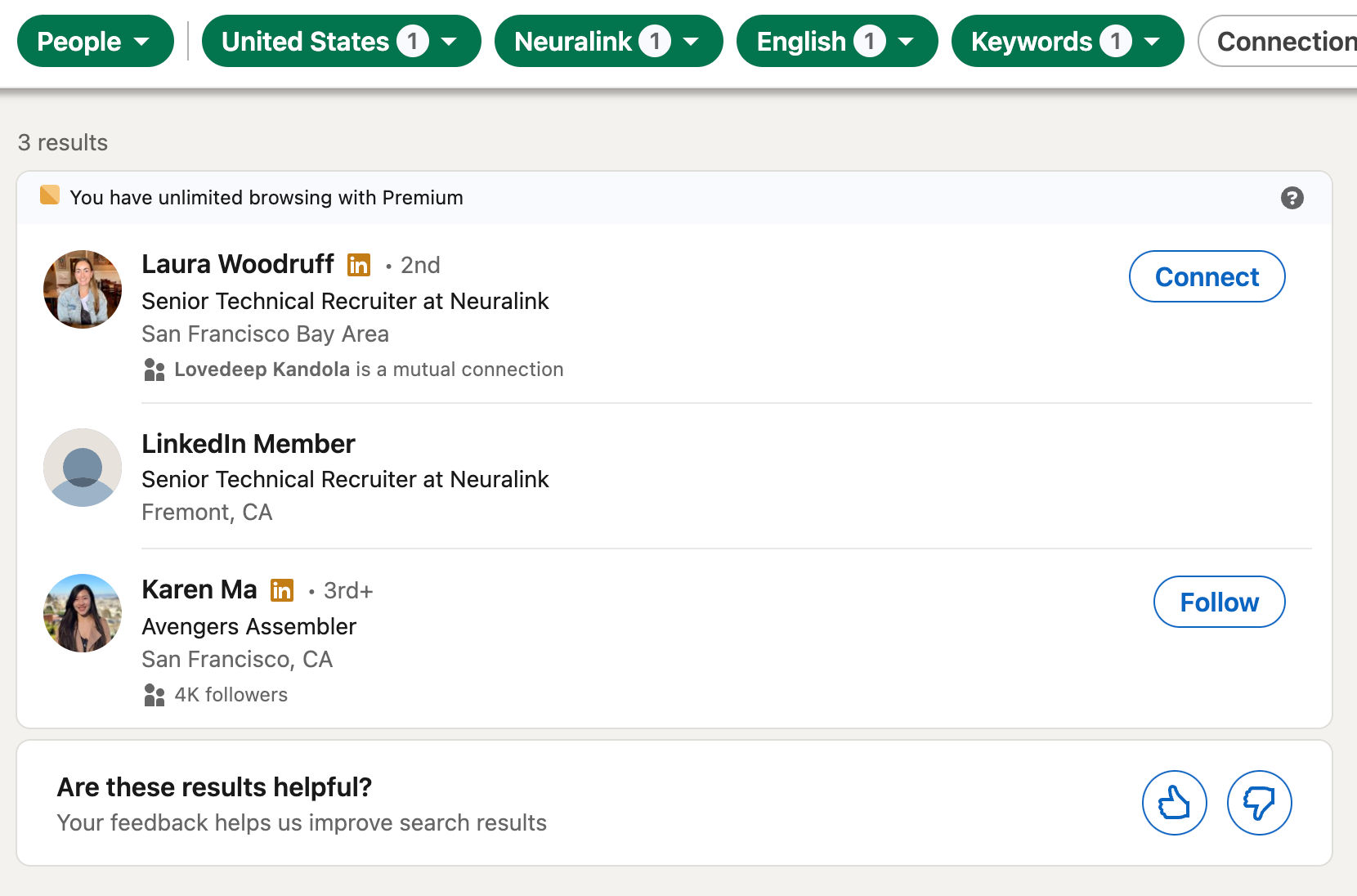 Here, we can see a list of `recruiters` in `United States` who work at `Neuralink`.
## Reaching Out
Finally, we can use [my simple outreach templating tool](https://www.careerflo.co/tailored-outreach) to create personalized connection notes or InMails for any LinkedIn contact.
You can always *customize the output message* to fit your needs. 😄
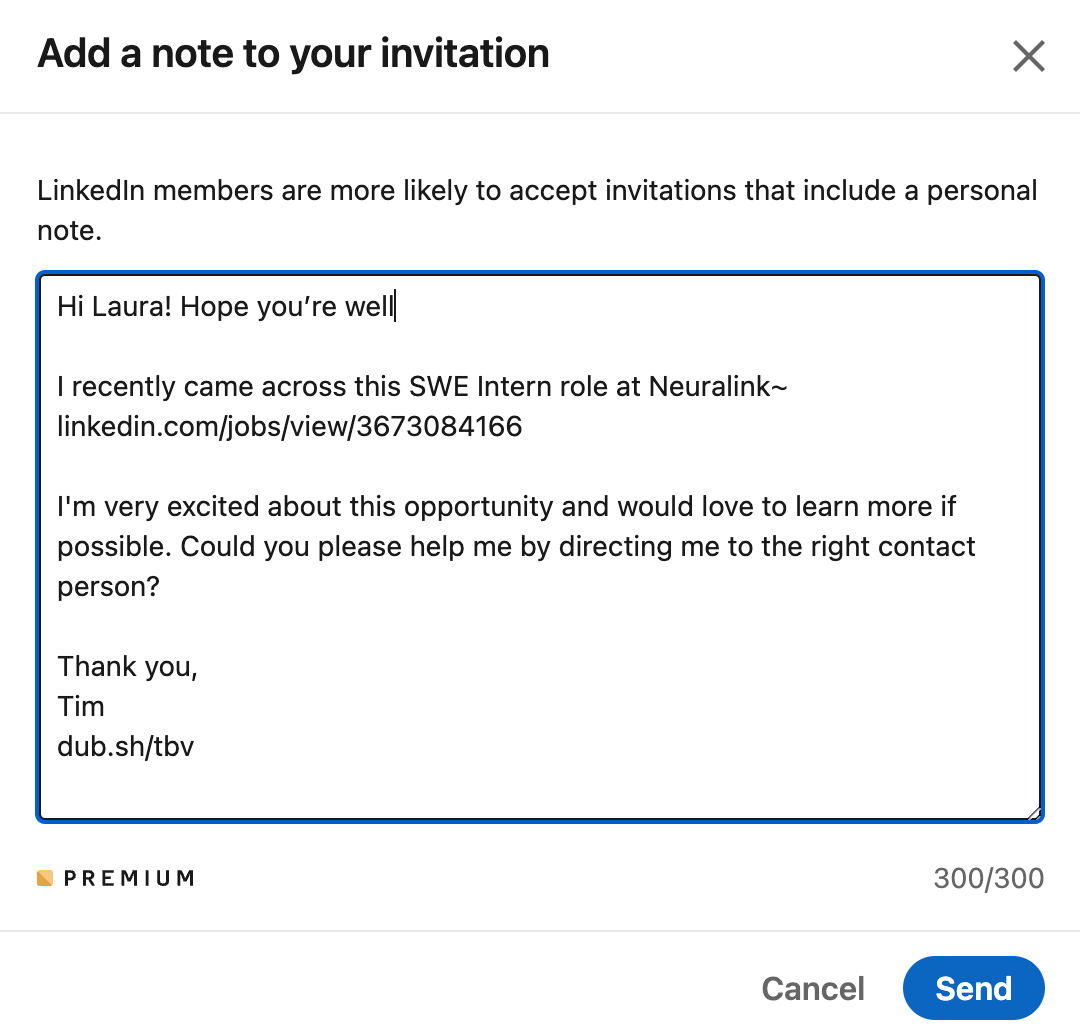
Let's say we want to reach out to Laura (from the result above). We can use the outreach templating tool to create a personalized message for them.
Here, we can see a list of `recruiters` in `United States` who work at `Neuralink`.
## Reaching Out
Finally, we can use [my simple outreach templating tool](https://www.careerflo.co/tailored-outreach) to create personalized connection notes or InMails for any LinkedIn contact.
You can always *customize the output message* to fit your needs. 😄
Let's say we want to reach out to Laura (from the result above). We can use the outreach templating tool to create a personalized message for them.
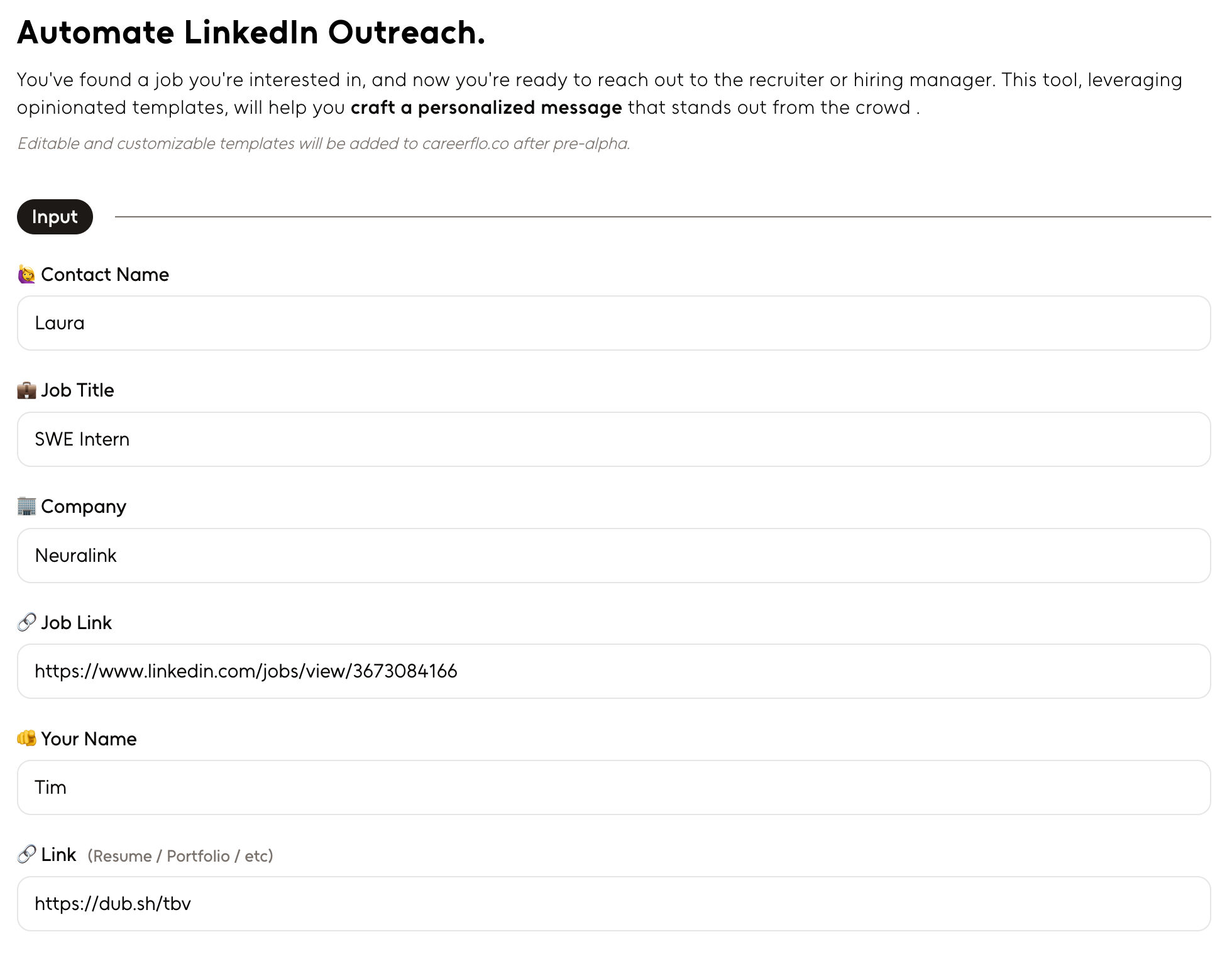 Below, we have two different outreach messages that we can use to reach out to Laura.
If the person you're reaching out to works at the company you're applying to, but **isn't the direct hiring manager or recruiter** for the role.
Below, we have two different outreach messages that we can use to reach out to Laura.
If the person you're reaching out to works at the company you're applying to, but **isn't the direct hiring manager or recruiter** for the role.
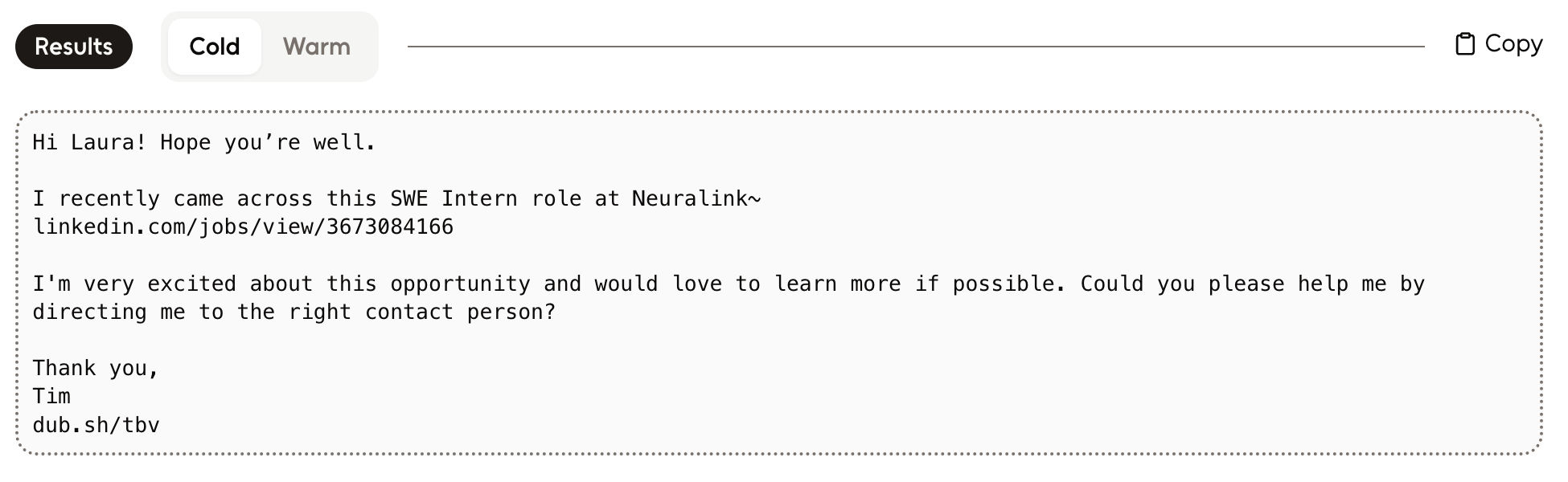 If the person you're reaching out to **is the direct hiring manager or recruiter** for the role.
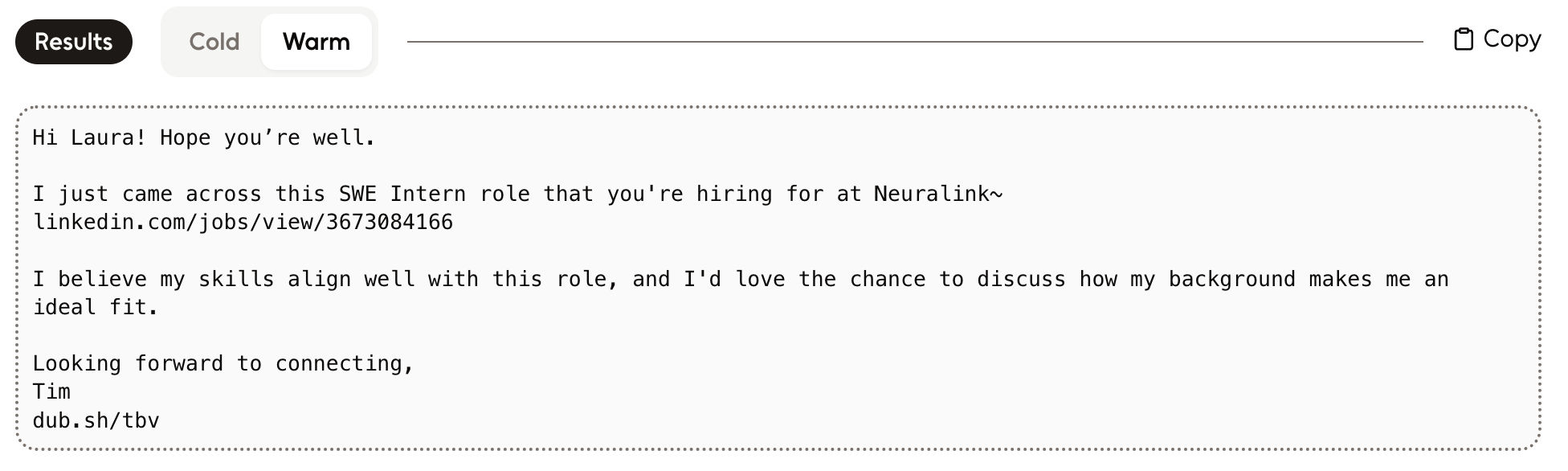 Messages are short (and to the point) so they can be used as `connection notes` on LinkedIn or as the body of an InMail.
We can copy the message and use it to reach out to Laura on LinkedIn. This is a great way to get in touch with someone who might help us get our application noticed!
Messages are short (and to the point) so they can be used as `connection notes` on LinkedIn or as the body of an InMail.
We can copy the message and use it to reach out to Laura on LinkedIn. This is a great way to get in touch with someone who might help us get our application noticed!
 ## 🎉 Done!